Lutris Install Instructions
Pay special attention to install locations or the scripts may fail!
Step 1

Open Lutris and select “Install from local install script”. Then navigate to and select AC.yaml.
Step 2
Step 3
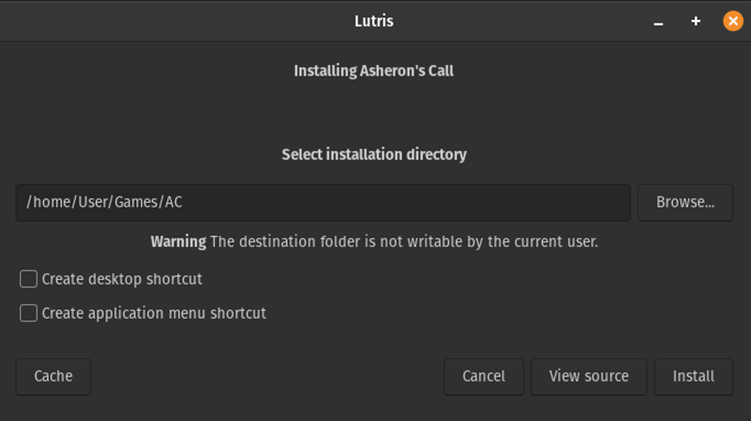
Either accept the default folder or specify where you would like AC to install. Then click install.
Step 4
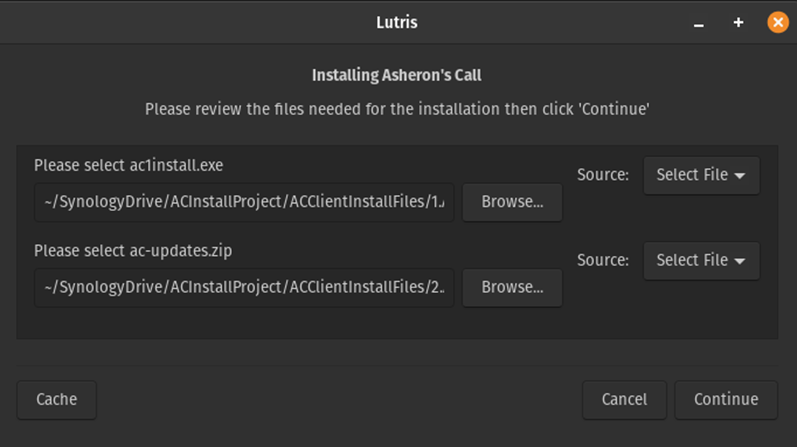
Select your ac1install.exe and ac-update.zip files and click continue.
Step 5
Step 6
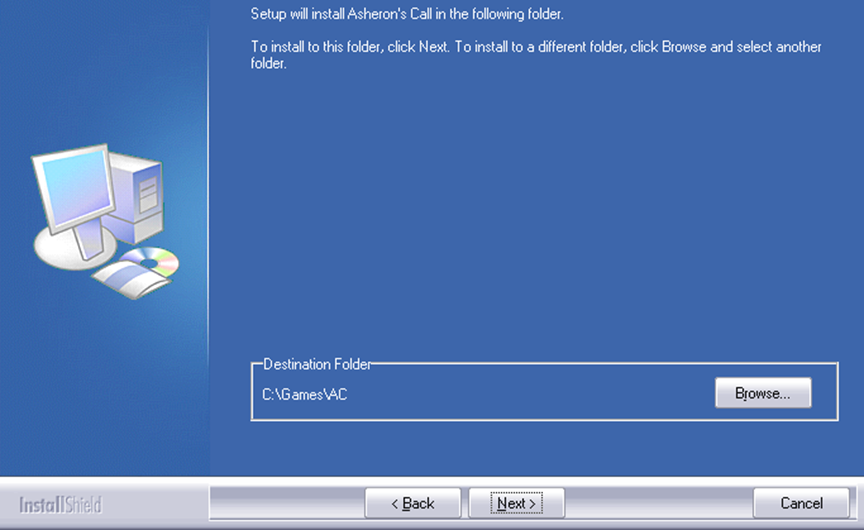
NOTE: Be sure to install the game to C:\Games\AC Select the install location and click next
Step 7
Step 8
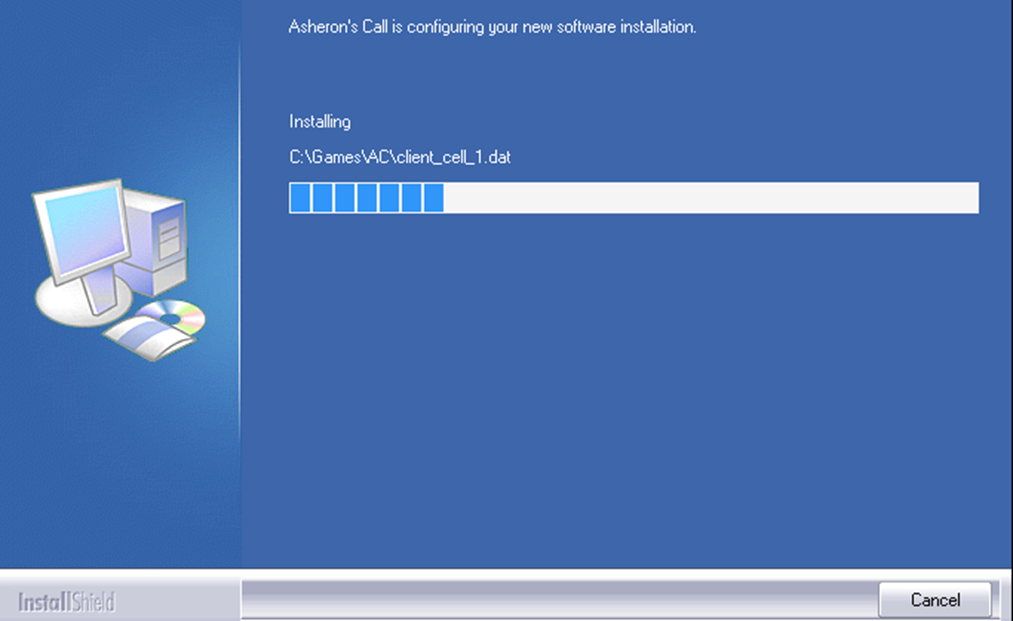
The install should begin. When it completes Lutris will unzip and copy the updated dat and exe files to the folder. At this point you can configure the launch arguments an play or continue with the other scripts to get decal and Thwargle up and running.


